August 05, 2026
How to Extend Your Laptop Battery Life with Expert Maintenance
Why Laptop Battery Care Matters
Your laptop battery powers your work, studies, and entertainment wherever you go. However, daily charging habits, heat, and heavy workloads gradually reduce battery performance. Instead of replacing your laptop sooner than expected, you can extend your battery's lifespan through proper maintenance and professional servicing. A healthy battery also improves productivity by delivering longer usage between charges and reducing unexpected shutdowns.
Adopt Smart Charging Habits
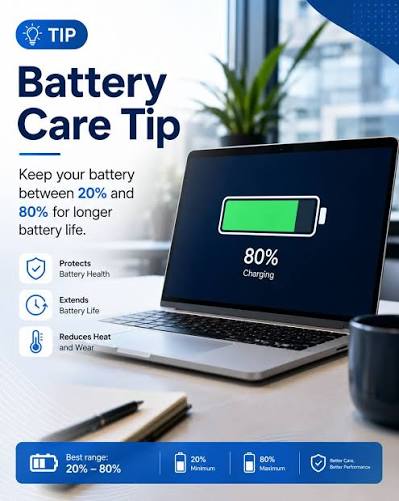
Good charging practices play a major role in battery health. Avoid letting your battery drain completely before charging. Instead, keep the charge level between 20% and 80% whenever possible. Unplug the charger after reaching a full charge if your laptop does not include advanced battery management features. Use only genuine or manufacturer-approved chargers because low-quality accessories can damage the battery and charging circuit.
Keep Your Laptop Cool
Heat remains one of the biggest threats to battery performance. High temperatures accelerate battery wear and reduce its capacity over time. Place your laptop on a hard, flat surface to improve airflow and prevent overheating. Clean air vents regularly to remove dust that blocks cooling. You should also avoid leaving your laptop inside a hot vehicle or under direct sunlight for extended periods.
Optimize Software Performance
Your laptop works harder when unnecessary applications run in the background. Close programs you no longer use, reduce screen brightness, and enable battery-saving modes during everyday tasks. Keep your operating system and drivers updated because software updates often improve power efficiency and overall system performance.
Schedule Professional Battery Maintenance
Expert technicians can inspect your laptop, test battery health, clean internal components, and identify issues before they become costly repairs. Professional maintenance also includes checking the charging port, cooling system, and power management settings. These services help your laptop operate efficiently while protecting the battery from unnecessary strain.
Invest in Long-Term Performance
Regular maintenance extends more than just battery life. It improves system stability, boosts performance, and helps you avoid unexpected downtime. Whether you use your laptop for business, school, or creative work, consistent care protects your investment and keeps your device performing at its best.
Final Thoughts
Extending your laptop battery life requires smart daily habits and regular professional maintenance. By charging correctly, controlling heat, optimizing software, and scheduling expert servicing, you can maximize battery performance and enjoy reliable computing for years. A little preventive care today saves you money and keeps your laptop ready whenever you need it.